
“Check for Updates” Window
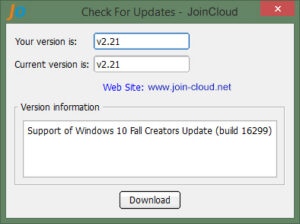
The link to check for updates becomes available on the About tab, after running JoinCloud (asterctl.exe) as an administrator.
The “Your version” field – contains the version number of JoinCloud that is currently installed.
The “Current version” field – contains the version number of JoinCloud that us currently available
Link to JoinCloud Website
The “Version information” field – contains the information about the changes added to the current version.
The “Download” button – when clicked will start the download of the setup package of the current version. of JoinCloud.