
Welcome to JoinCloud User Interface
When you have finished the installation of JoinCloud and it runs for the first time you will see the window as below with three options:
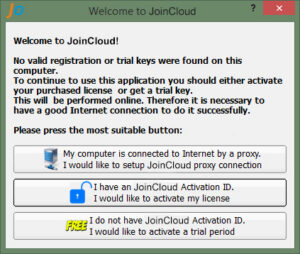
Details about the three options are shown in our “Quick Start” guide.
“Proxy Settings ” – Opens the proxy server settings window. Only required if your internet is connected through the proxy server.
“License Activation” – Opens the JoinCloud license activation window
“Activate Trial Period” – If you click this, it will activate 14 days trial period. The trial is bind to the hardware ID so you cannot reset it even if you reinstall your OS.