
JoinCloud Installation ID
JoinCloud creates an automatic backup copy of the information on active licenses activated on the computer to our license server. This backup allows you to restore all of your activated codes with just a few mouse clicks. This can be very useful if your computer crashes, reinstalled your OS, or forgot your license code when you need to restore the purchased licenses to activate the JoinCloud.
A backup of your licenses is created and sent to the server when you activate a license. In order to identify the computer, JoinCloud creates and assigns a unique identifier number to it. When you start JoinCloud for the first time, you will see the following information message:
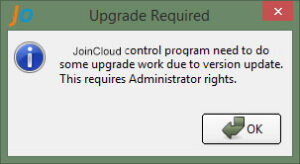
After you click the “OK” button, a unique identifier is created and it is displayed in the window as below:
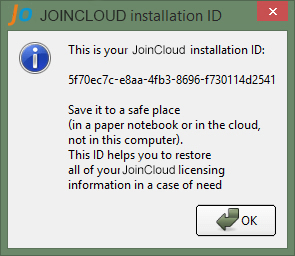
Please make a note of it and keep it in a safe place, for example, in your notebook or some cloud storage like Google Drive or one drive. This ID allows you to restore (See. Restoring a license from a backup) your JoinCloud license data in case you need to reinstall Windows. We recommend you do not store the identifier data on the same computer as it may be lost when your system crashes.
If you need to check the identifier, you can find it in the lower-left corner of the “JoinCloud Control Panel” window