
JoinCloud Installation
Installing JoinCloud program:
1. Download the JoinCloud installation package from the download page.
When you start the installation, it is recommended that you create a system restore point (Check the “Create a restore point” checkbox in the installation wizard.) – in case of problems, you will be able to restore your system to its original state:
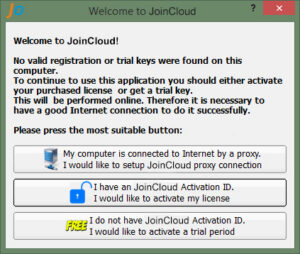
2. Read the program description and then accept the terms and conditions for the user license agreement of JoinCloud:
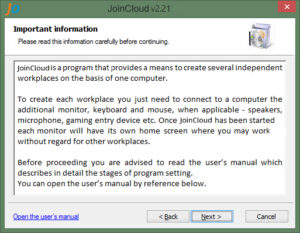
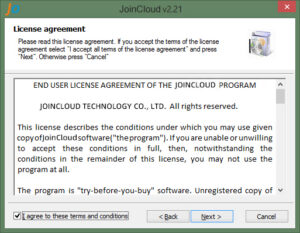
3. Select your desired installation directory, and optionally set power and OS boot parameters recommended for running JoinCloud properly (selected by default):
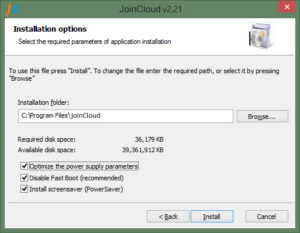
Settings – «Optimize power-saving parameters»
-
Sets the power option to high performance;
-
Disables monitors sleep state and hibernation;
-
Disables power down on USB devices.
Settings – «Disable Fast Boot».
The «Fast Boot» mode speeds up the loading of the OS, but can cause the problem in running JoinCloud and additional seats. Then check box is disabled if Fast Boot is already disabled or you are installing JoinCloud in Windows 7. These parameters can be changed if required after completing the installation of JoinCloud.
Settings – «Install Screen Saver(PowerSaver)»
Sets the screensaver PowerSaver.scr, which can be enabled in the personalization settings. This is an alternative to the use of energy-saving modes, which often work incorrectly with JoinCloud.
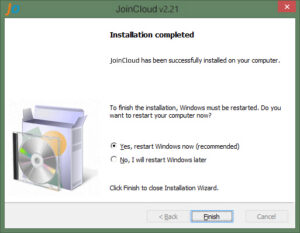
4. Once JoinCloud installation is completed, you need to restart the computer once.
Once you have restarted, you can see 3 shortcuts added under JoinCloud folder in Start/Programs menu.
-
JoinCloud Control Panel – this shortcut will open the JoinCloud Control Panel, when you will configure, enable or disable JoinCloud program.
-
JoinCloud User’s Manual – this shortcut will open the JoinCloud user manual to refer to configuring JoinCloud.
-
EULA (End User License Agreement) – is the user’s license agreement.
These three shortcuts may not be shown in the Recently Used section in Start Menu, but they can always be found in the “All Programs” section.
Any changes can be made only after your reboot JoinCloud after installation is completed.